5 Performance Max Settings Your Agency Probably Ignored
Performance Max hands Google complete control over where your budget goes across Search, Shopping, Display, YouTube, Gmail, and Discovery, all in a single campaign. Most agencies set it up and move on. Here are the five things worth checking before it quietly drains your account.
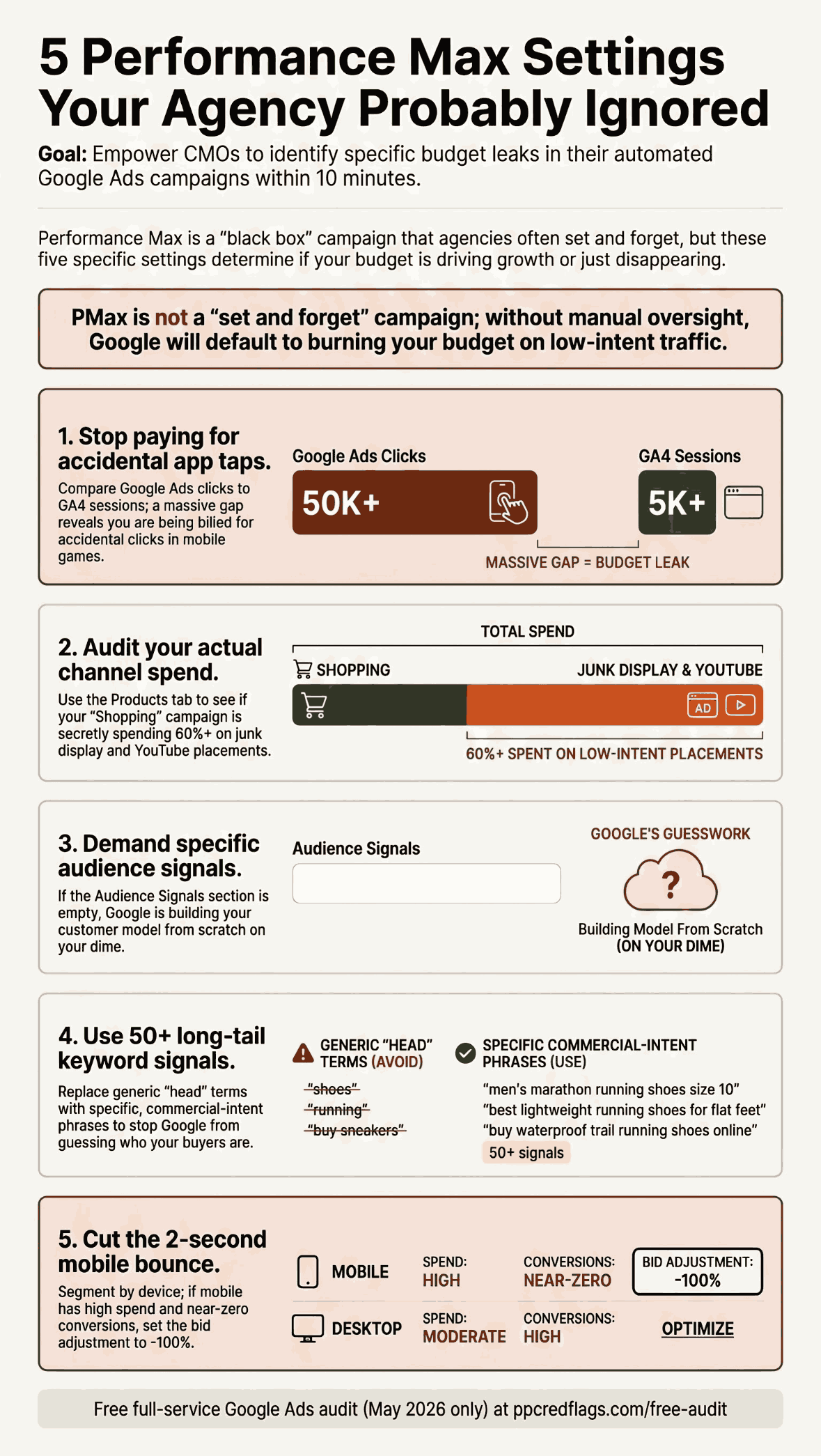

Performance Max (Google's campaign type that bundles Search, Shopping, Display, YouTube, Gmail, and Discovery into a single automated campaign) is not inherently a problem. Used carefully, with the right exclusions and oversight, it can perform well for the right business. The issue is what most agencies do with it: turn it on, set a budget, and let it run.
What follows is not a full PMax teardown. It's the five specific things I look at first when I open a PMax account I haven't seen before. Each one has a concrete check you can run yourself. If you want the search-term transparency angle specifically (why PMax hides where your budget went and what to demand from your agency), that's covered separately in Red Flag #4.
1. App placement traffic: the click you paid for that never loaded your site
PMax serves ads inside mobile apps: games, free utilities, anything with an ad network built in. Those placements generate clicks. A lot of them. They generate clicks because mobile apps are notorious for accidental taps: you're scrolling a game, your thumb slips, you're on an ad, you swipe back. That took under a second. Google charged your account for the click. Your site never loaded.
How to spot it: Pull your Google Ads click count for the campaign over the last 30 days. Then open GA4 (or Adobe Analytics, or whatever you use) and look at sessions from Google paid for the same period. If you see 1,000 clicks in Google Ads and 80 sessions in analytics, app traffic is almost certainly the reason. The gap is filled with accidental taps that never resulted in a page load, but were still billed as clicks.
Think about how many times you've accidentally tapped an ad on your phone and closed it before the page loaded. Now scale that to thousands of impressions per day across every mobile game and free app Google has in its network.
How to fix it: Go to Settings → Account settings → Placement exclusions. You can exclude entire app categories (Games, Tools, Entertainment) or specific app IDs. This is an account-level setting, so it applies across all campaigns. Set it once. Your click volume will drop. Your analytics gap will close. Your cost per real session will improve.
2. Where the budget actually goes: the channel spend breakdown
PMax reports a single aggregate spend number. It does not, by default, tell you how much went to Shopping placements versus Display versus YouTube versus Gmail. For e-commerce advertisers in particular, this matters: you think you're running a Shopping campaign with PMax, but the actual shopping spend might be a fraction of what you're paying.
How to spot it: Go to your PMax campaign → Products tab. Add the Cost column. Add up the cost assigned to actual product SKUs. That number is the shopping component of your spend. If it's 40% of your total PMax budget, the other 60% is going to display, Gmail, and other placements that are not showing your products to buyers searching for them.
Some accounts I've audited are running at 90% non-shopping spend in a campaign their agency calls a Shopping campaign. The agency's report shows impressions and clicks. It doesn't show where those impressions are serving.
The question to ask your agency: "Can you show me a channel breakdown of where our PMax spend is going (Shopping, Display, YouTube, Gmail) as a percentage of total budget?" If they can't produce that report, or they say the data isn't available, that's your answer.
3. Audience signals: is the asset group empty?
PMax uses "audience signals" to tell Google what your best customers look like: their behaviors, interests, search history, and buying intent. Google uses this as a starting signal, not a hard constraint. But if the signal is empty, Google is building its customer model entirely from scratch on your budget.
How to check: Go to your PMax campaign → Asset groups → click into any asset group → scroll to Audience signals. You should see customer lists (uploaded from your CRM), website visitor lists, and high-intent interest segments (in-market audiences, custom segments built from relevant search terms).
If this section is empty, or if your agency's answer is "we use Google's optimized targeting," that means they've given Google no signal at all. Google will figure out who converts eventually, but the learning period is happening on your dime, and the model it builds may not match your actual customer.
What good looks like: A CRM upload of your past customers (even a few hundred rows is useful). A remarketing list of site visitors. One or two in-market or custom intent segments that match your buyer profile. These don't need to be perfect. They're signals, not filters.
4. Keyword signals: what search terms is PMax optimizing toward?
Separate from audience signals, PMax also accepts keyword signals: a list of search terms that represent what your ideal buyer is searching for. This goes in the same asset-group view, next to the audience signal section.
How to check: Open the same asset group view and look at the search themes or keyword signals section. Count how many terms are listed and read them.
Two failure modes are common. The first is empty: no signals at all, so Google decides what search queries to target based purely on your landing pages and whatever it learns from conversions. The second is head terms: five or ten generic, high-volume keywords ("google ads agency," "ecommerce marketing," "PPC management") that tell Google nothing specific about your buyer's intent.
What good looks like: 50 to 200 specific, long-tail, commercial-intent terms. Not the terms someone uses when they're browsing. The terms someone uses when they're ready to buy or request a quote. "Industrial label printer 4x6 thermal" not "label printer." "B2B lead gen agency pricing" not "marketing agency."
The more specific the signal, the less Google has to guess, and the less budget it burns guessing wrong.
5. Mobile spend: the quiet budget drain
Even setting aside app placements specifically, mobile in general is a poor channel for most B2B advertisers and many e-commerce advertisers. The traffic looks good in aggregate (clicks, impressions, CTR), but deeper analytics usually tell a different story.
How to check: In your PMax campaign, click the Segment button and add Device as a segment. Look at cost and conversions for mobile versus desktop. For most B2B accounts, mobile shows meaningful spend with near-zero conversions. If you have access to session-level analytics (GA4, Adobe), look at session duration by device. Mobile sessions driven by paid media are frequently under two seconds: the user arrived, didn't engage, left.
You're not getting those two-second sessions because your landing page is bad. You're getting them because mobile paid traffic, particularly from placements outside core Search, is a different audience with different intent.
How to fix it: In campaign settings, look for bid adjustments and set mobile to -100%. Yes, this control is available in PMax even though many other controls aren't. Your click count will drop noticeably. Your cost per conversion will likely improve.
One exception: if you're advertising an app, ignore everything in this section. App install traffic is a different beast and mobile is exactly where you want to be.
None of these checks require agency access. Most of them take under ten minutes. What they tell you is whether the campaign you're paying for is the campaign that's actually running.
If any of this looks wrong in your account (wrong enough that you want a second opinion), you can send me one question. I'll tell you whether it's as bad as it looks.